
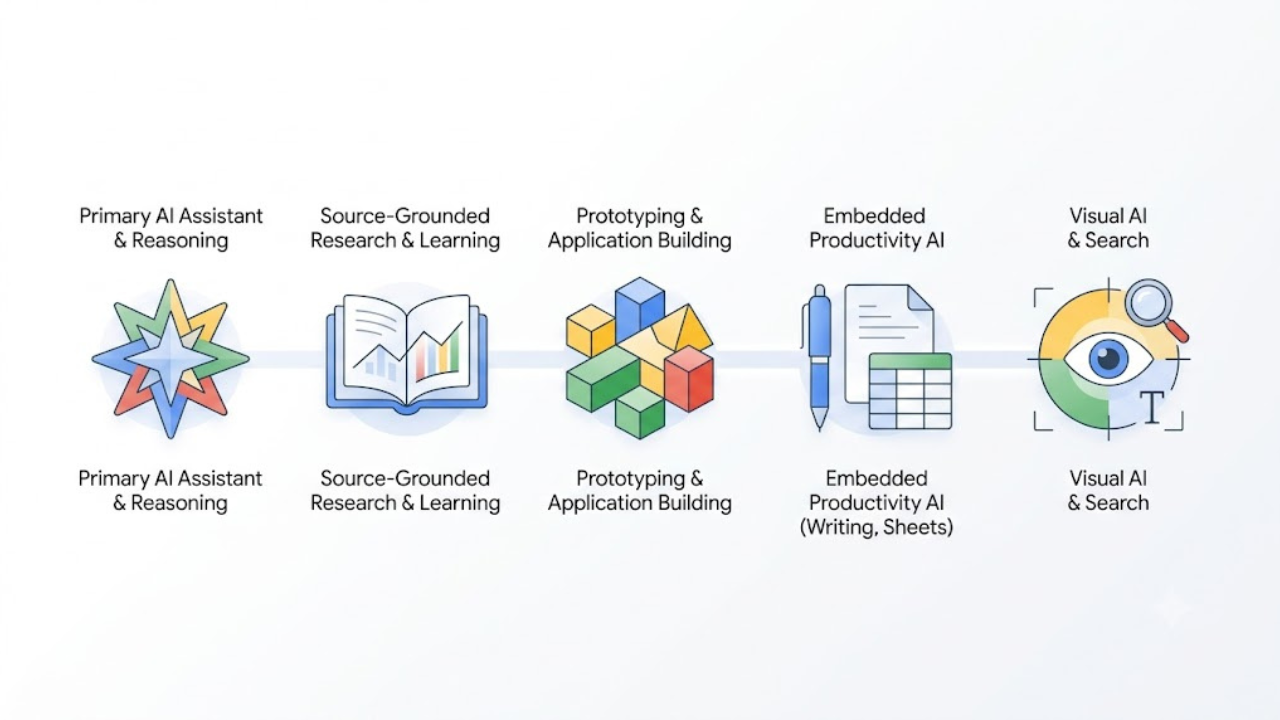
Google offers several powerful AI-driven applications and platforms for everyday users, creators, and developers. The top 5 most popular and widely used AI apps from Google include:
1. Gemini (The Flagship AI Assistant)
What it is: Google’s primary conversational AI assistant (competing directly with tools like ChatGPT), built to understand and reason across text, images, video, audio, and code. Read my expanded review of Gemini by clicking here.
Key Features:
- Google Workspace Integration: Deeply connects with Gmail, Docs, Drive, Maps, and YouTube so you can summarize emails, find documents, or plan trips seamlessly.
- Massive Context Window: Allows you to upload enormous documents, codebases, or hours of video to analyze all at once.
- Multimodal Flexibility: Available across web, Android, and iOS.
2. NotebookLM (The AI Research & Learning Assistant)
What it is: A specialized, highly praised workspace tool designed to act as your personalized research assistant. Read my expanded review of NotebookLM by clicking here.
Key Features:
- Source-Grounded Insights: You upload your own documents (PDFs, Google Docs, web links, YouTube videos), and the AI answers questions strictly using your data with exact citation links.
- Audio Overviews: Automatically converts dense reading material into engaging, podcast-style audio conversations hosted by two AI voices breaking down the topic.
3. Google AI Studio (The Prototyping & App Builder)
What it is: A fast-paced web-based developer environment and playground designed for prototyping ideas and building applications using Gemini models.
Key Features:
- Prompt Engineering: Allows developers and power users to test prompts, compare model versions, and tune settings.
- Easy API Access: Provides a quick pathway to generate API keys for integrating Google’s latest models into custom software.
4. Google Workspace AI Features (Docs, Gmail, & Sheets AI)
What it is: Native generative AI baked directly into Google’s standard productivity suite.
Key Features:
- “Help Me Write”: Drafts emails, outlines reports, or rewrites copy directly inside Gmail and Google Docs.
- Data Analysis in Sheets: Automatically builds custom tables and trackers using “Help me organize”, diagnoses and fixes formula errors on the fly, and uses native functions to categorize, summarize, and analyze row data at scale.
5. Google Lens (The Visual AI & Search Assistant)
What it is: Google’s ubiquitous visual recognition app that lets you search, analyze, and interact with the physical world through your camera or screen.
Key Features:
- Multimodal Visual Search: Point your camera at anything—a plant, an outfit, a landmark, or a piece of hardware—to identify it, find matching items online, or get step-by-step instructions.
- Text Extraction and Translation: Instantaneously translates printed text across over 100 languages in real time over live video, or extracts handwritten notes and formatted text straight to your clipboard/Google Docs.
- Homework and Problem Solving: Snaps math problems, diagrams, or science questions to provide instant step-by-step solutions and conceptual breakdowns.
My Final Thoughts
Google’s AI ecosystem has evolved far beyond basic chatbots. Whether you need a daily conversational assistant (Gemini), an intelligent research partner (NotebookLM), a developer playground (Google AI Studio), dynamic workplace productivity (Google Workspace AI), or a visual bridge to the physical world (Google Lens), there is a tool designed to streamline almost every part of your digital life.
You don’t need to adopt all five overnight. Pick the one that solves your biggest bottleneck today—whether that’s turning dense documents into dynamic Audio Overviews with NotebookLM or automating draft responses in Gmail—and build from there.
Which of these Google AI tools are you most excited to integrate into your workflow? Let me know in the comments below!

It’s interesting to see Gemini positioned as the flagship assistant – I’m curious how it will evolve compared to ChatGPT over time.